Stratson support
Language settings
Change your language
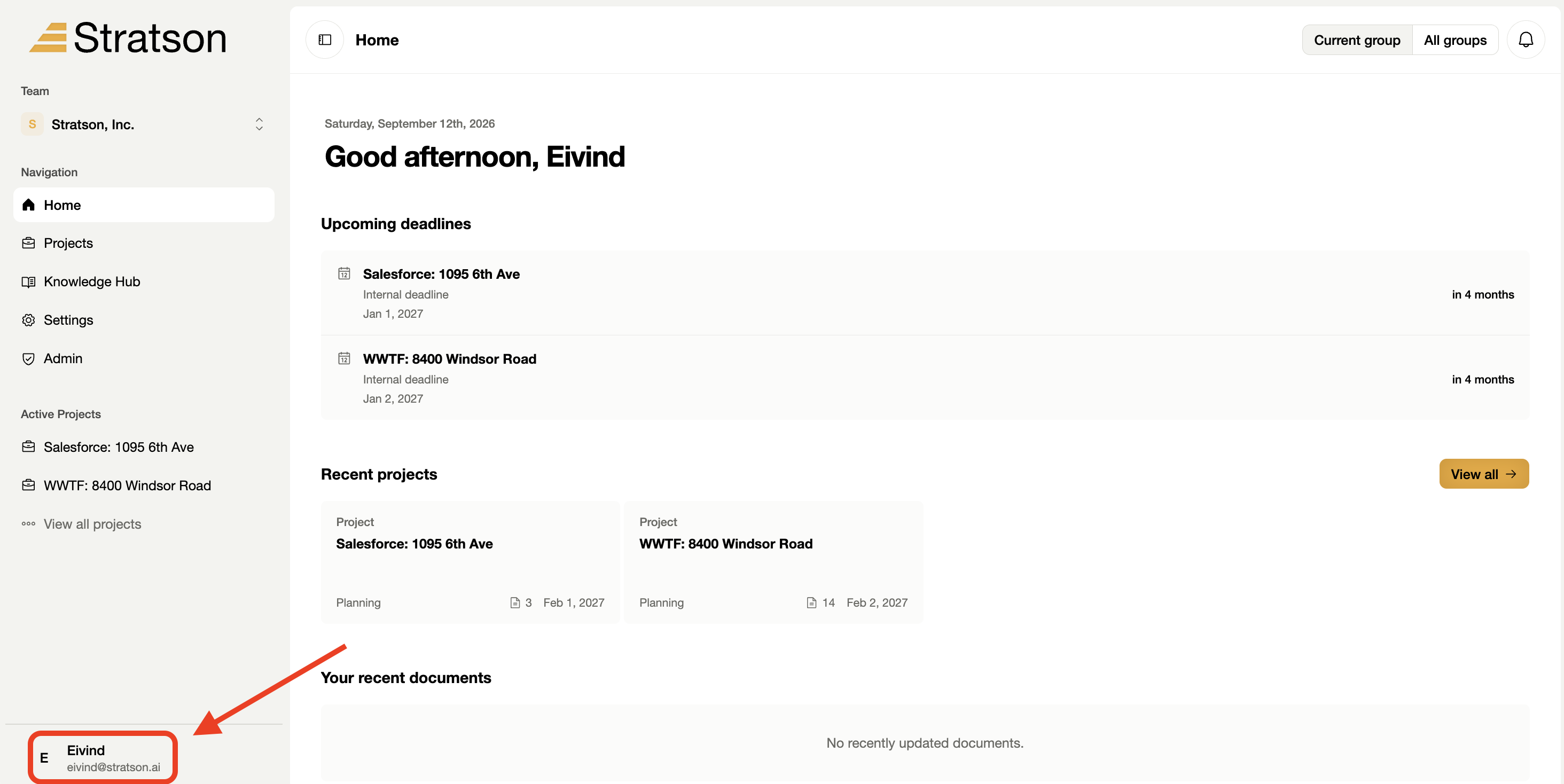
Find the language option in your account menu. You can open your account menu from the bottom of the left sidebar.
1. Open your account menu
Select your name at the bottom left of the sidebar. The screenshot circles the account area below the active project list.

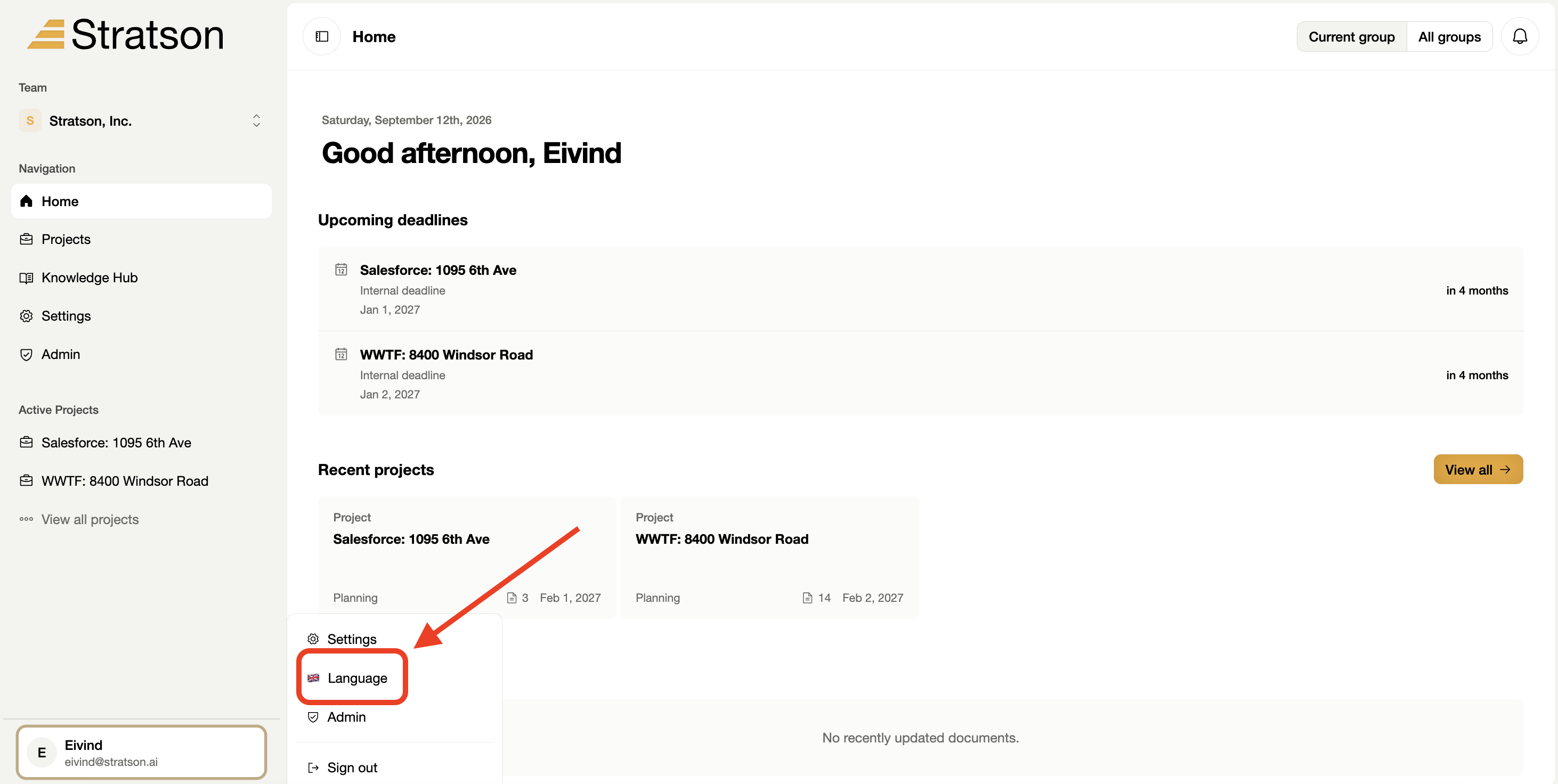
2. Open Language
Select Language in the account menu, then choose your preferred language from the options that appear. The screenshot shows where to open the language selection.