Stratson support
SharePoint setup
Connect SharePoint
Connect your company’s SharePoint files through Stratson’s integration settings. Ask a workspace admin to set up the connection. These screenshots show where to start; Microsoft’s sign-in and permission screens follow.
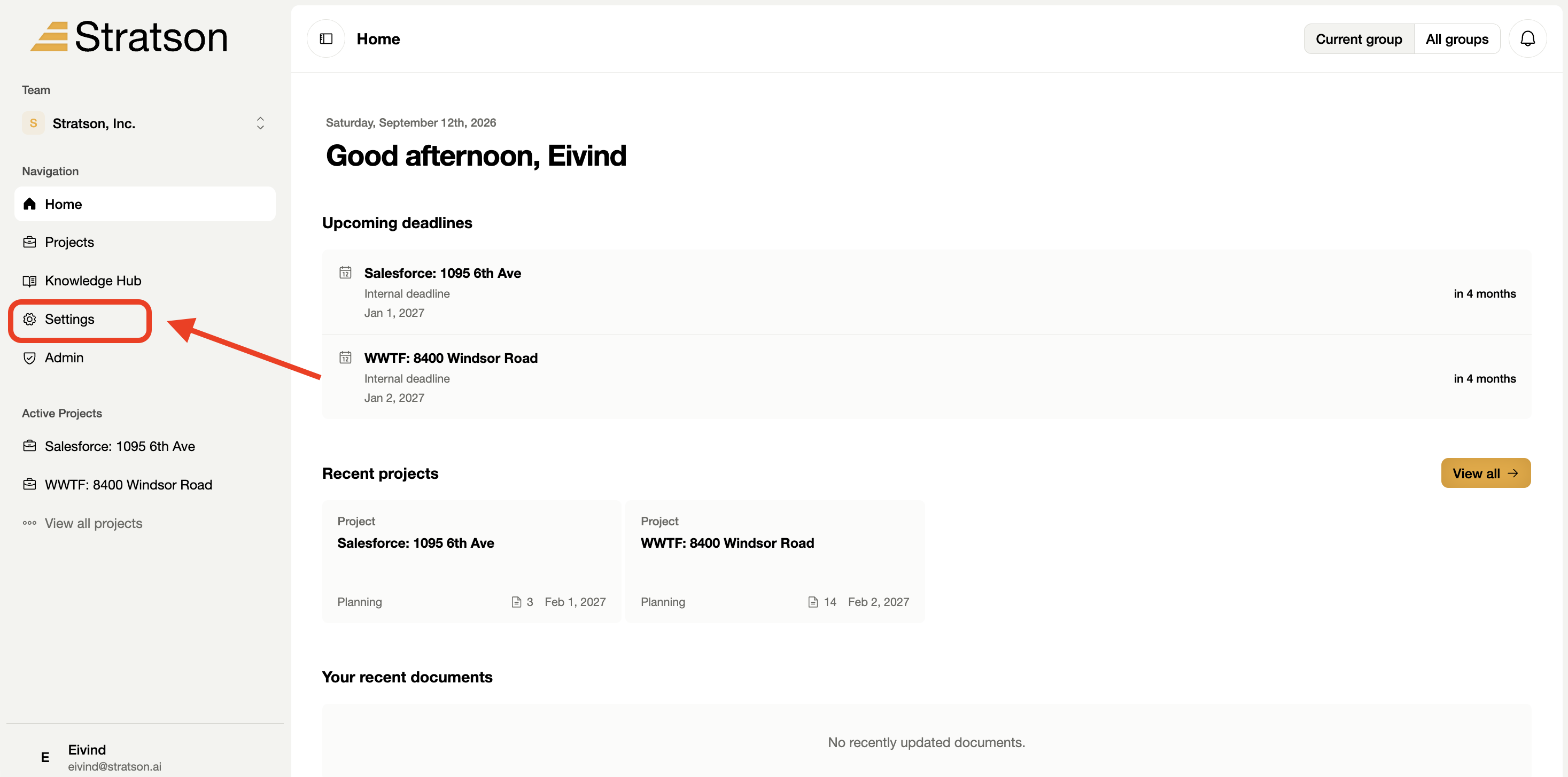
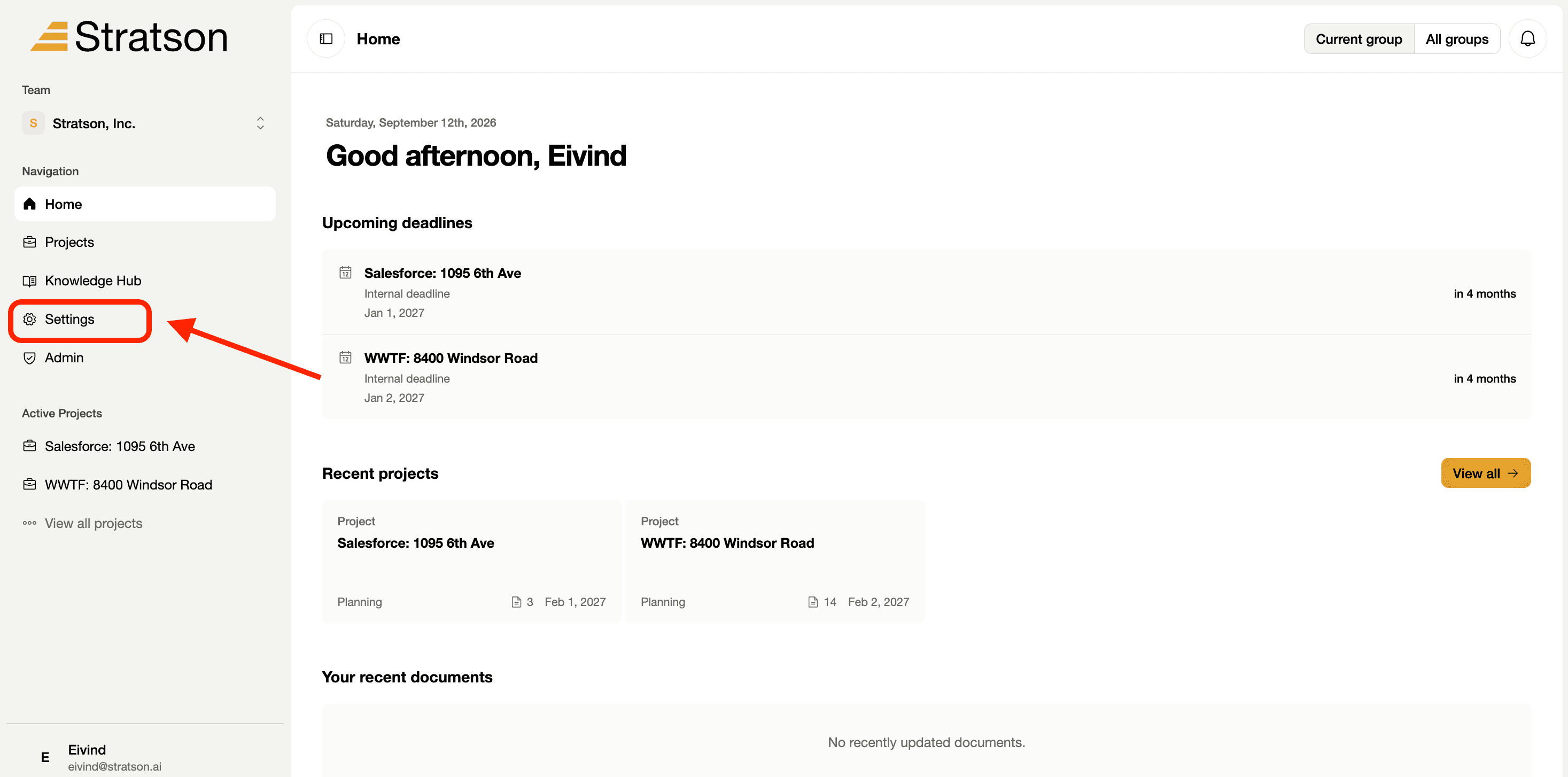
1. Open Settings
Select Settings in the left sidebar. The red annotation points to the settings entry on the home screen.
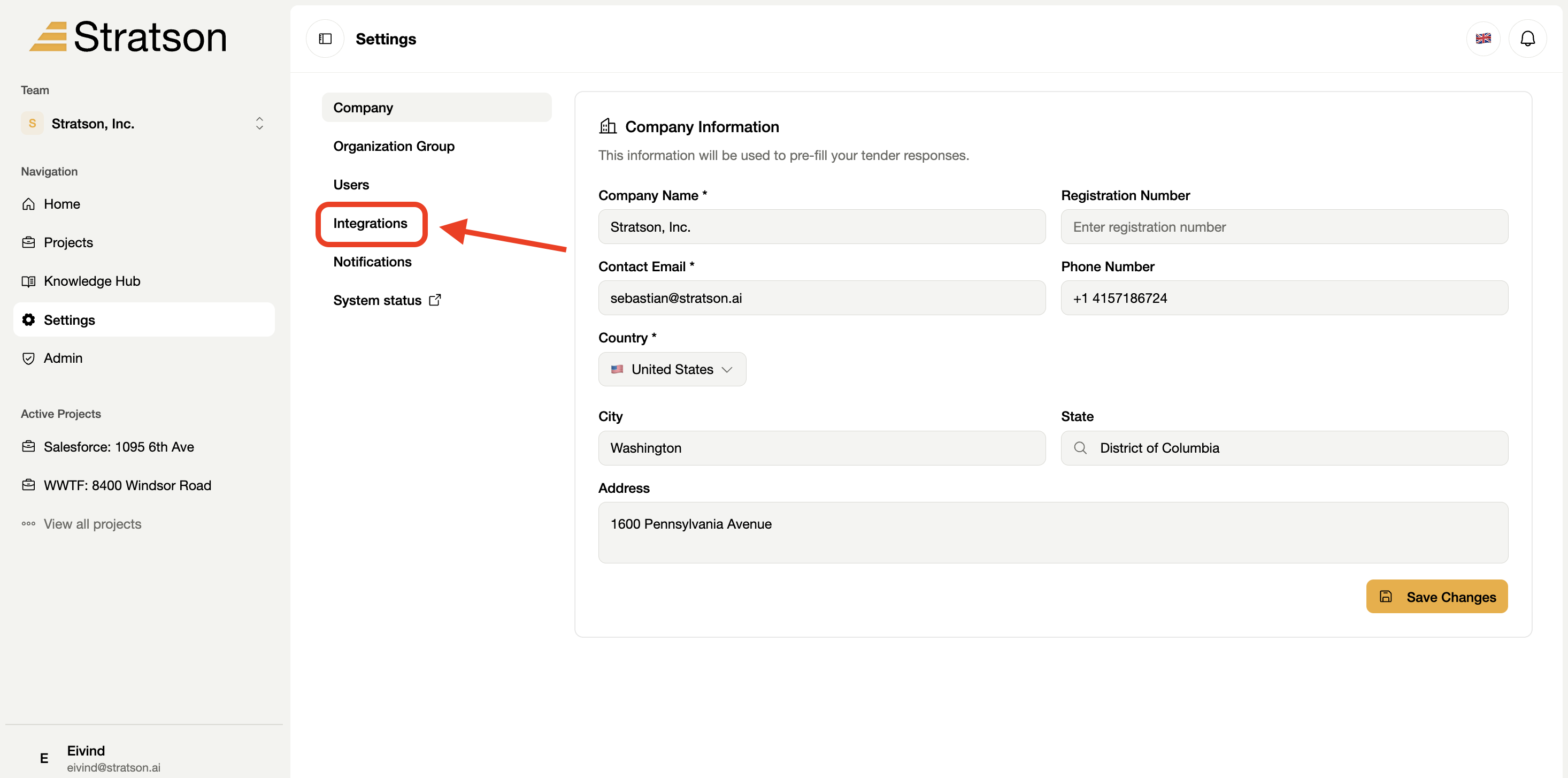
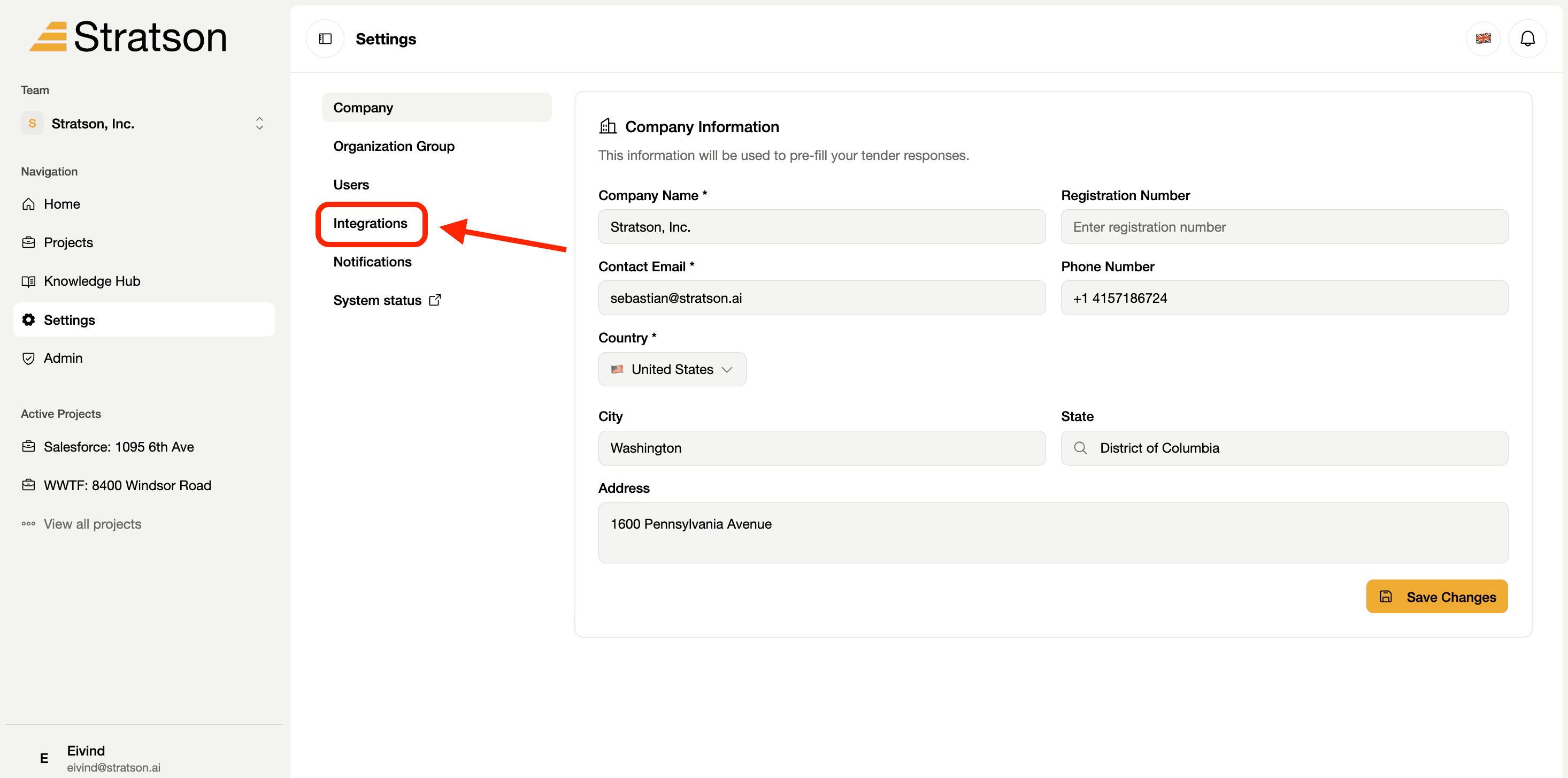
2. Choose Integrations
In the settings menu, select Integrations. It sits below Users and above Notifications.
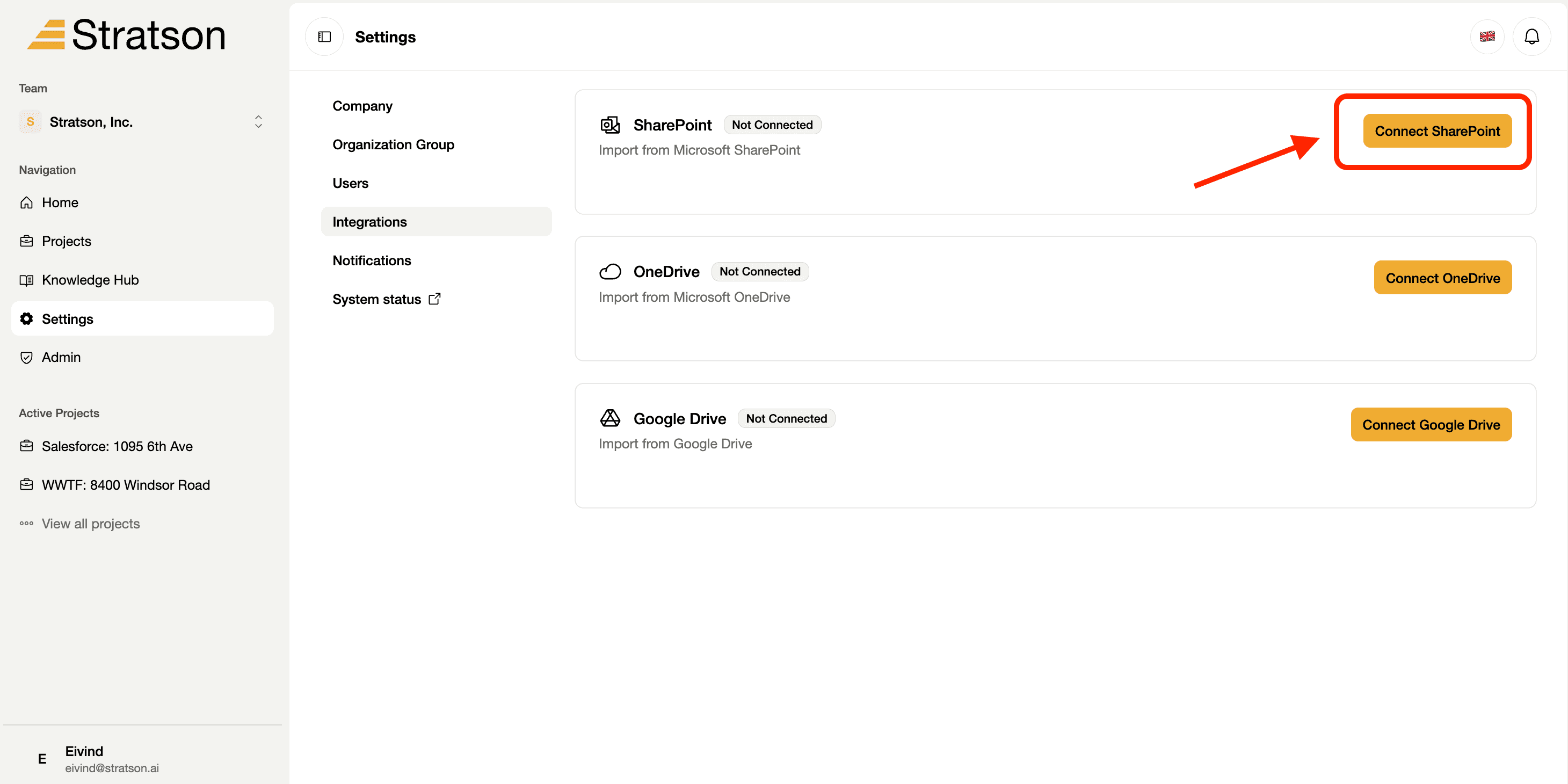
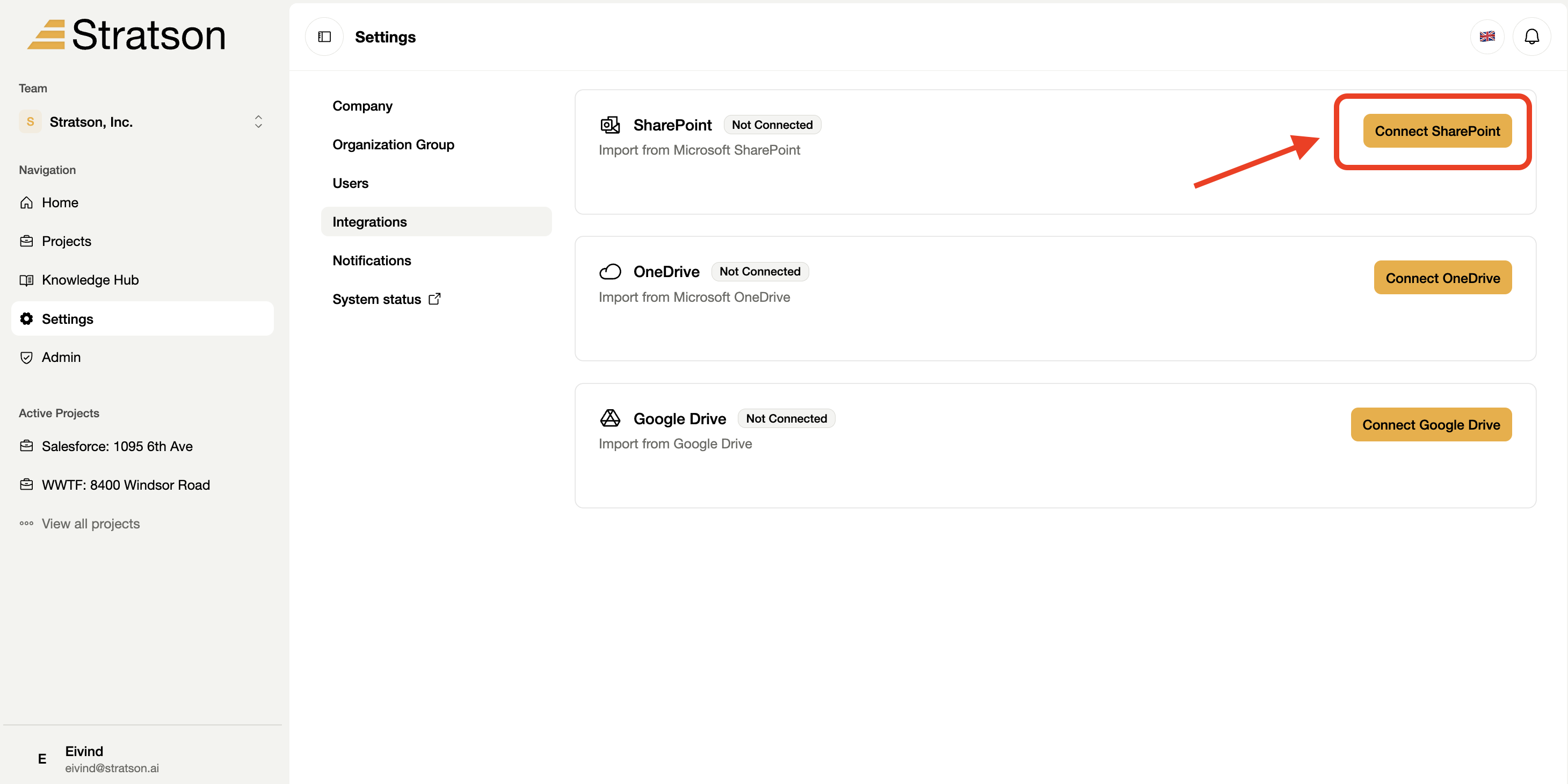
3. Start the SharePoint connection
Select Connect SharePoint. Continue through the sign-in and authorization prompts. Your organization controls which SharePoint content is connected, and existing permissions determine what each user can access.