Stratson support
Knowledge uploads
Upload to the knowledge hub
Add files or a folder to your company’s knowledge hub. Have the files or folder you want to upload ready on your computer.
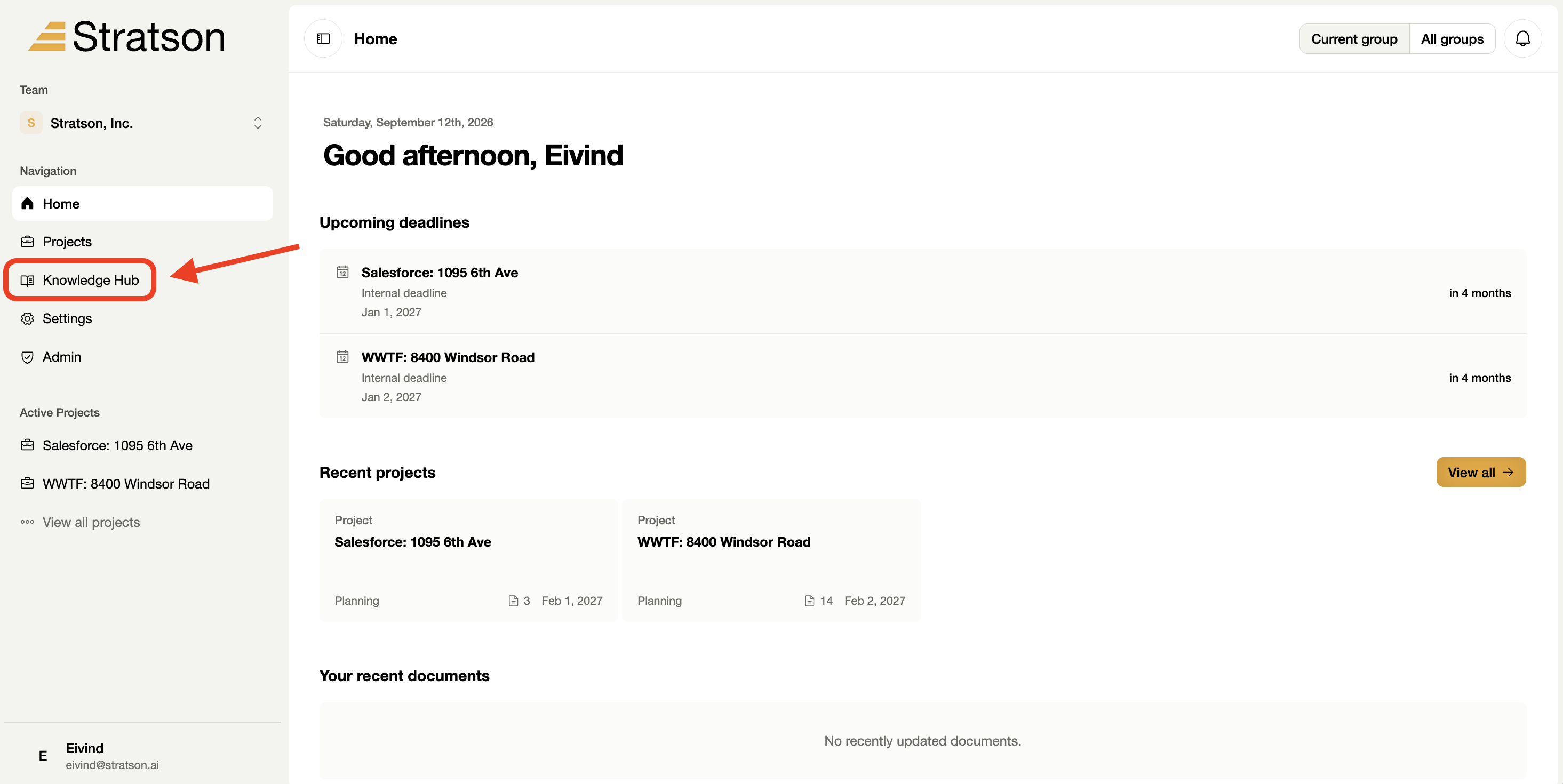
1. Open the knowledge hub
Select Knowledge Hub in the left sidebar. This opens the document library shown in the next step.

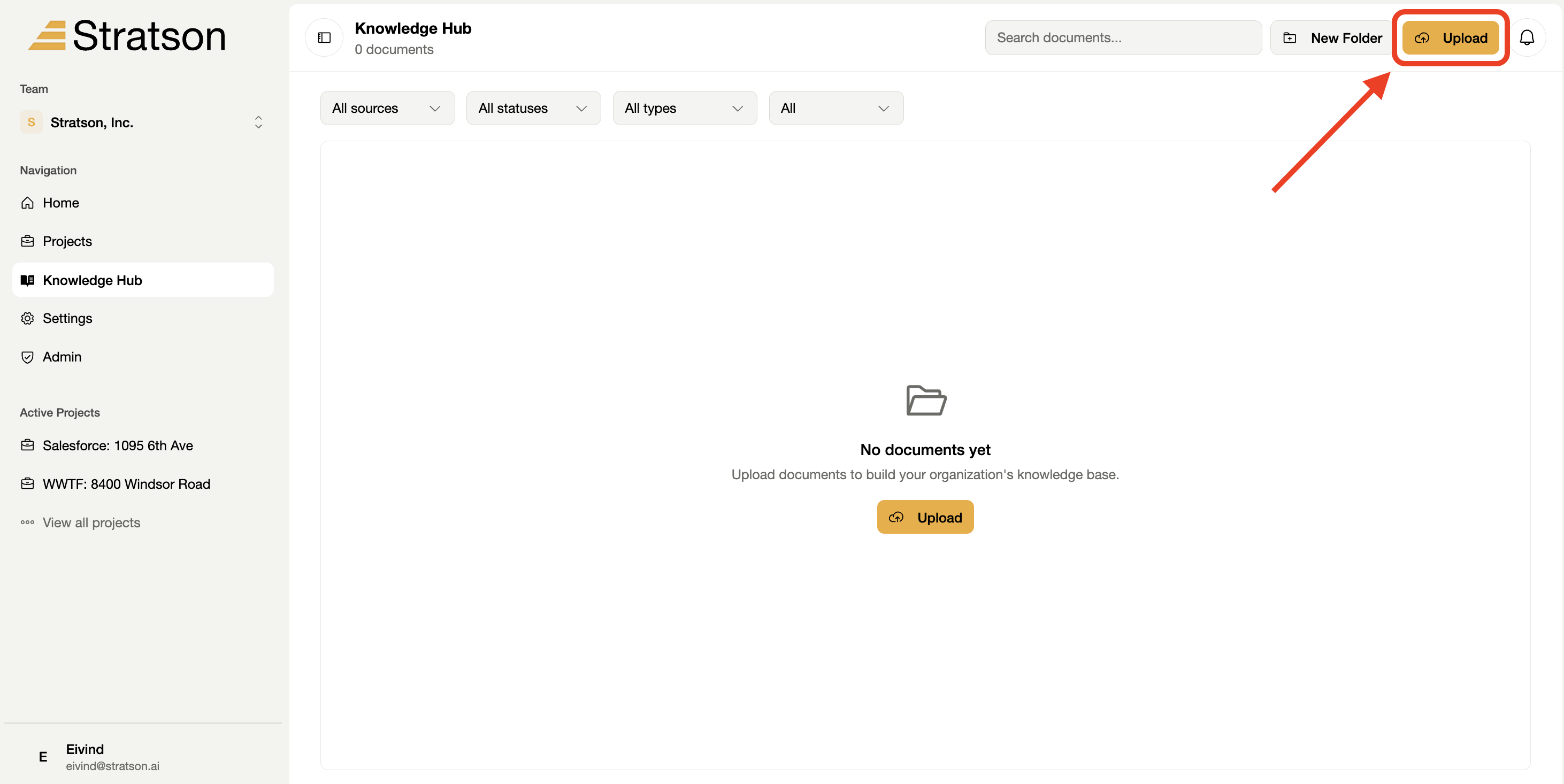
2. Open the upload menu
Select Upload at the top right of the knowledge hub, beside New folder.

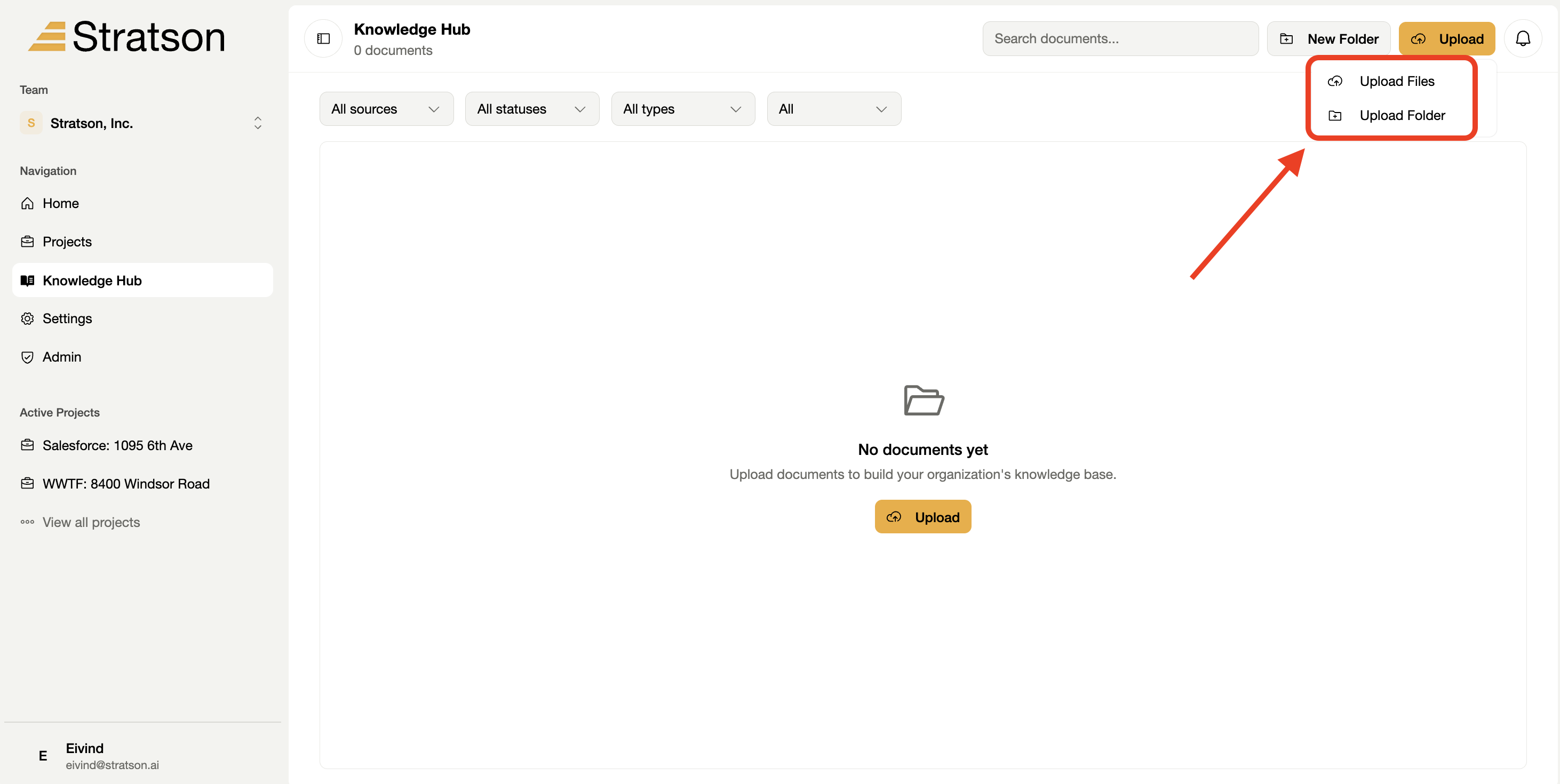
3. Choose files or a folder
Choose Upload files for individual documents, or Upload folder for a folder. Select the material on your computer, then return to the knowledge hub to check the upload.