Stratson support
Created documents
Find documents created in a project
Return to estimates, schedules, and other documents created in your project. Start from the home screen with an existing project.
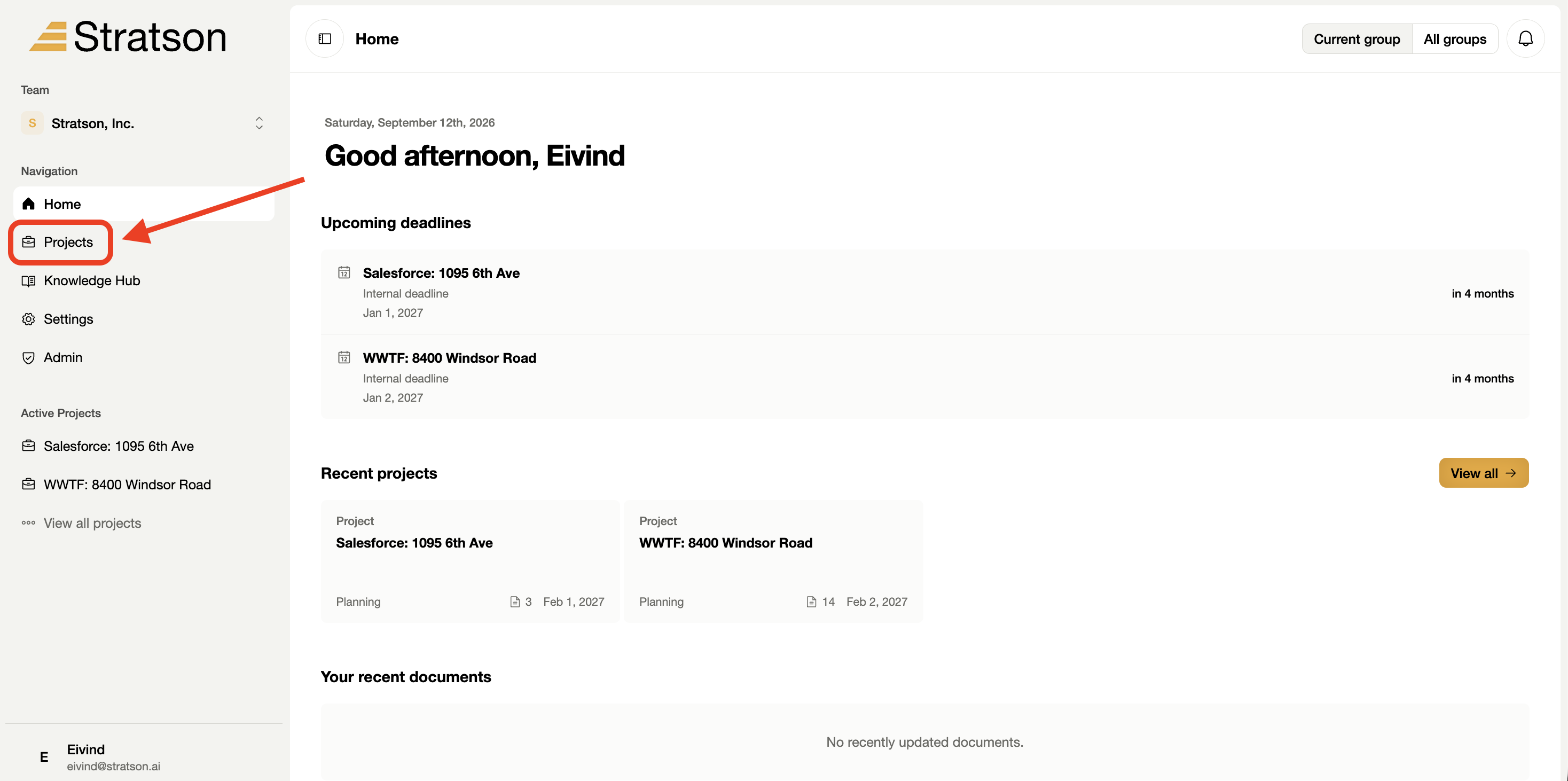
1. Open Projects
Select Projects in the left sidebar to see your project list. The red arrow marks the navigation item.

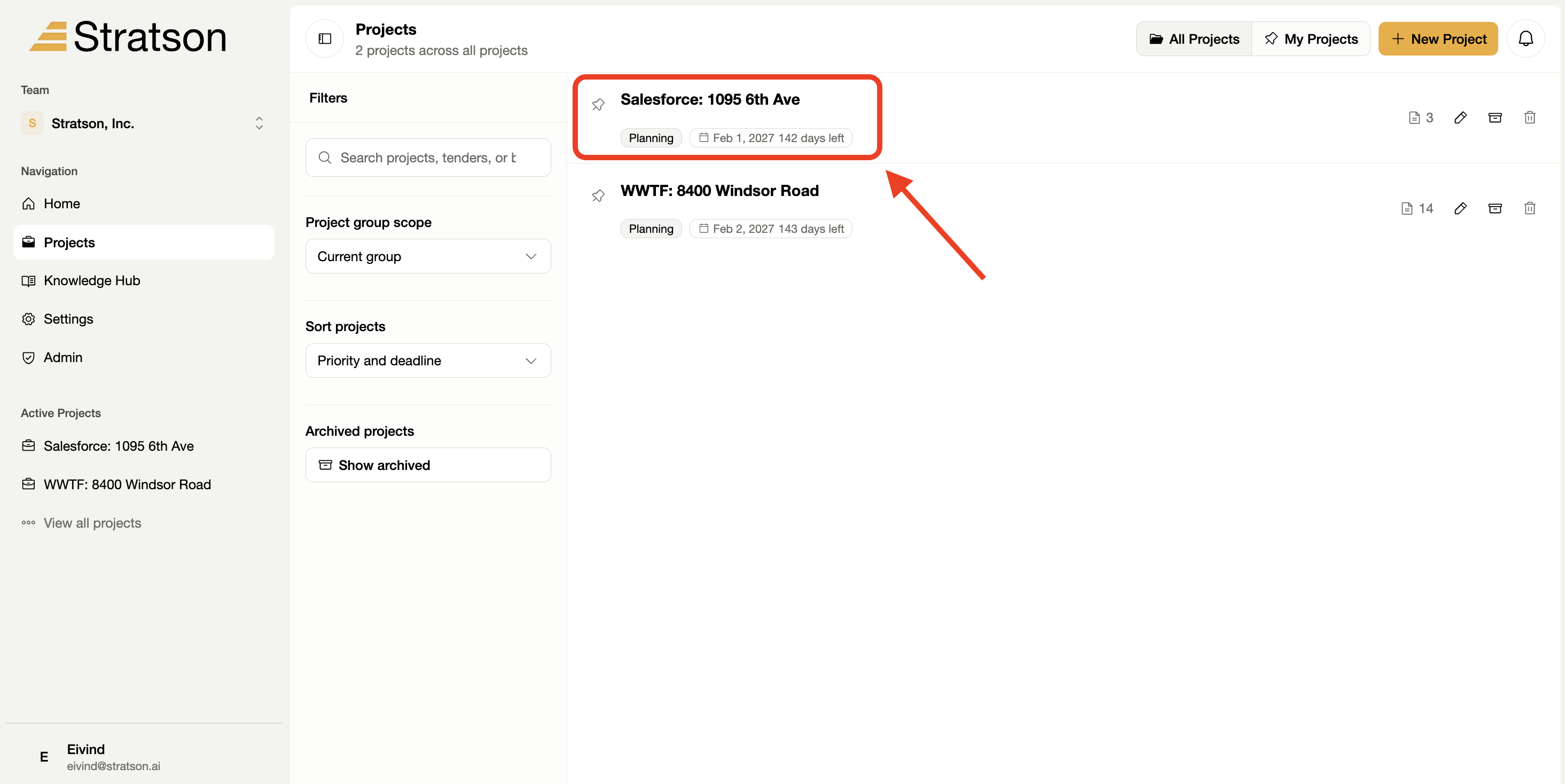
2. Choose your project
Select the project you want to work in. The screenshot highlights "Salesforce: 1095 6th Ave" as an example. You can use the search field to find your own project.

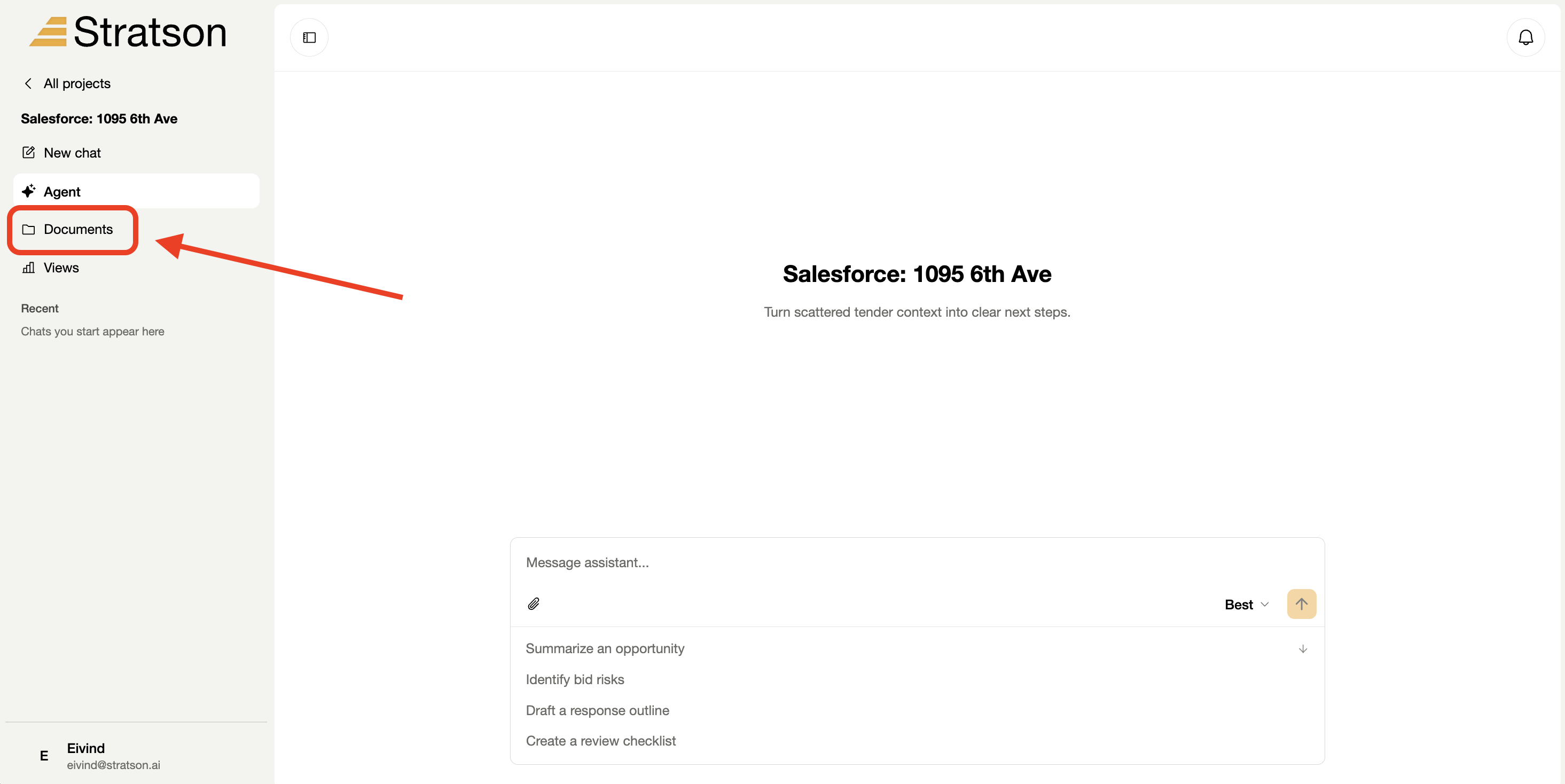
3. Open Documents
Inside the project, select Documents in the left sidebar. This opens the file area for that project.

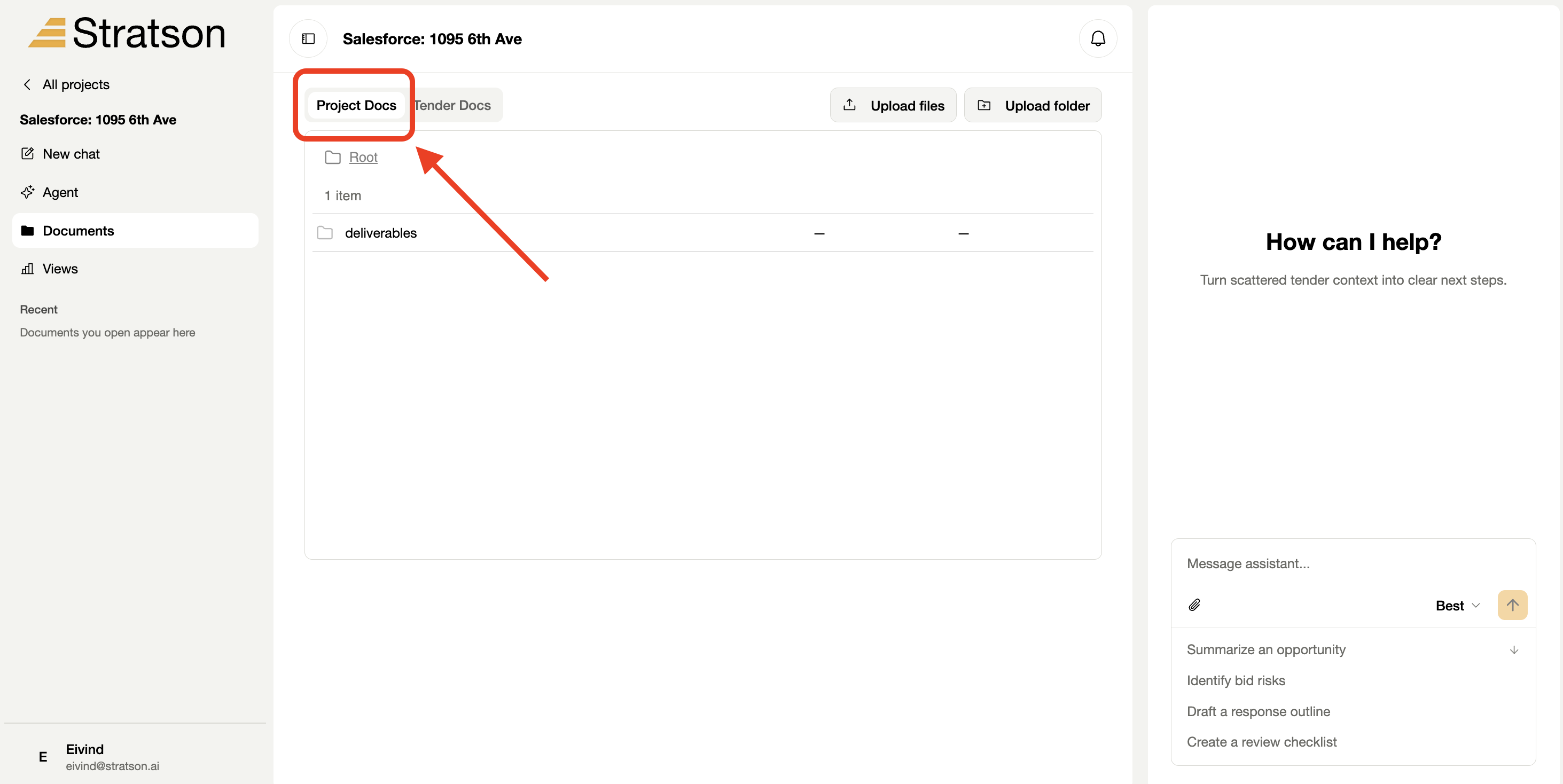
4. Select Project Docs
Choose the Project Docs tab to find documents created in the project. Select a folder or document to open it.